
How to import a guide in markdown format?
Learn how to import Markdown content into Guidejar and convert it into a structured guide
Click on "Create"
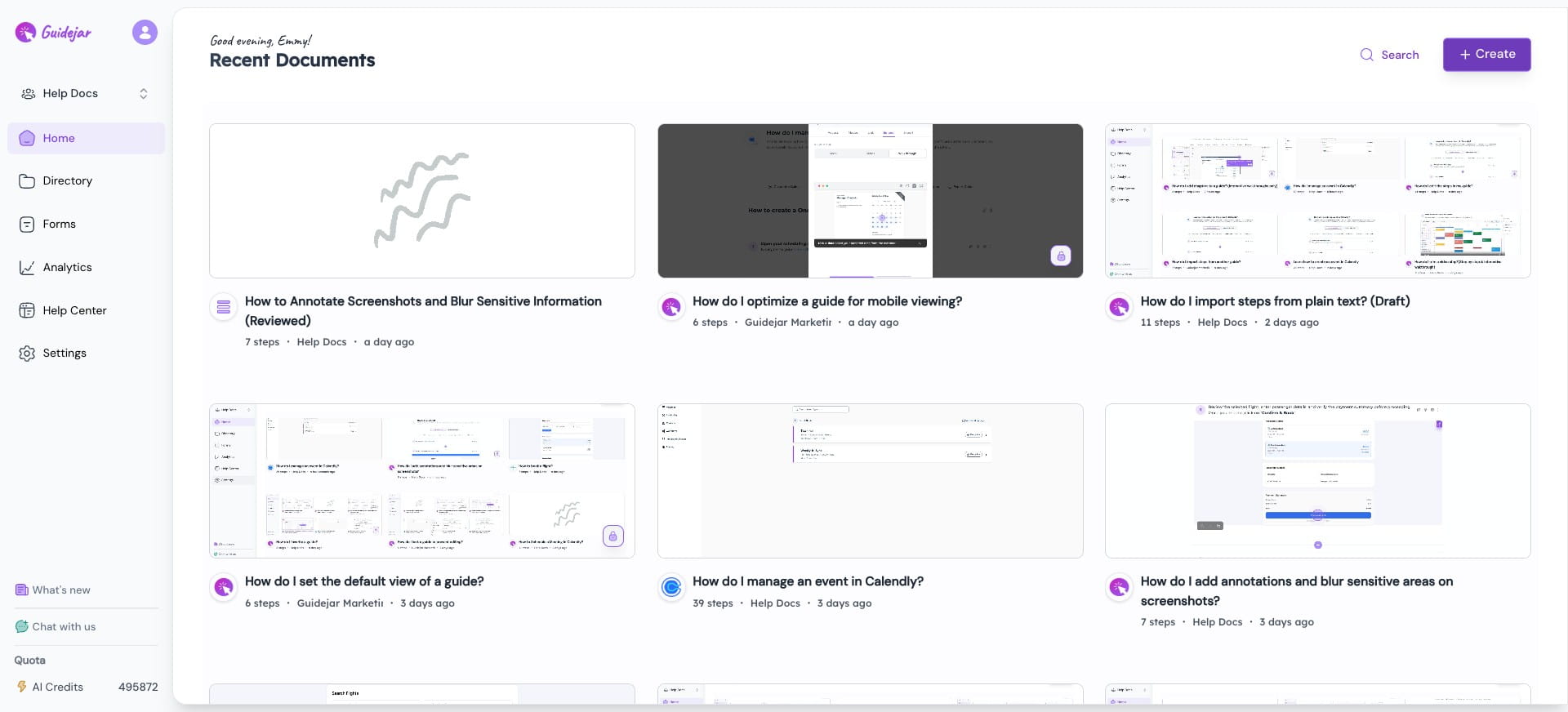

Click on "Import Guide"
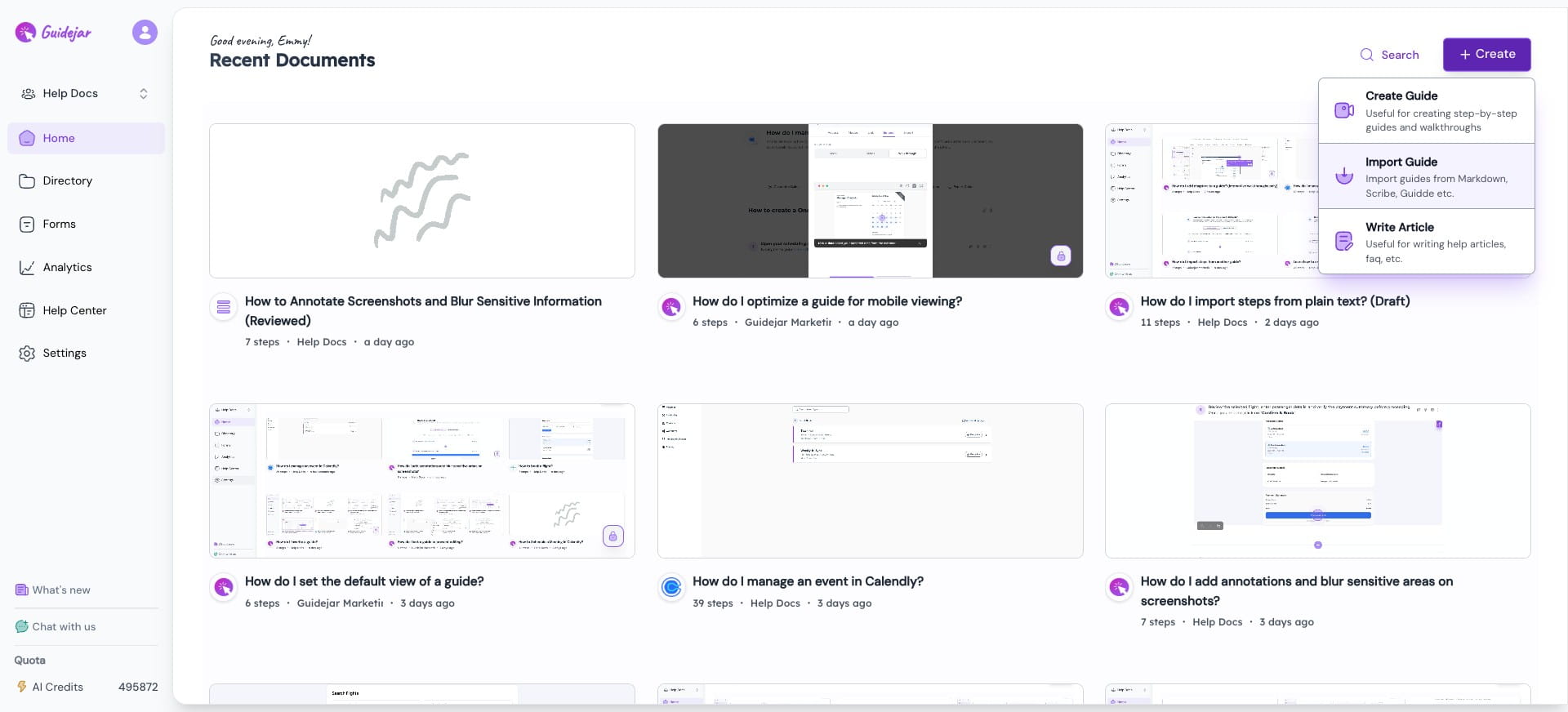
Paste your Markdown content into the editor as per the given standard format. Use the following format to import your guide:
1st line: Title
2nd line: Description
Steps: Separated by `---`
Step Formatting:
- Start with `#` for a section header
- Start with `!` for an alert/warning
- Start with `*` for a tip
- Include images using: ``
`
```](https://assets.guidejar.com/uploads/99e6b0b4-f5fe-4d08-bfdb-954ce0c471d2/uVsDjWwQBuMlzCJk15LFFfRwmOz1/592d11f9-e4e6-4f19-8367-d81d43dc9128/1776877160809.jpeg)
Click on "Import"
Tada 🎉 You've created a complete guide just with plain text.

Frequently asked questions
- Can I add images using the import option?
Yes, you can include images during import. Make sure the image is hosted online and use the following format:
 - Can I add steps to an existing guide by importing them from another guide or from a PDF/DOCX?
Yes. You can import steps from another guide or from PDF/DOCX files—see: