
How do I import steps from another guide?
Learn how to reuse content by importing steps from an existing guide into your current one—helping you save time and maintain consistency across guides.
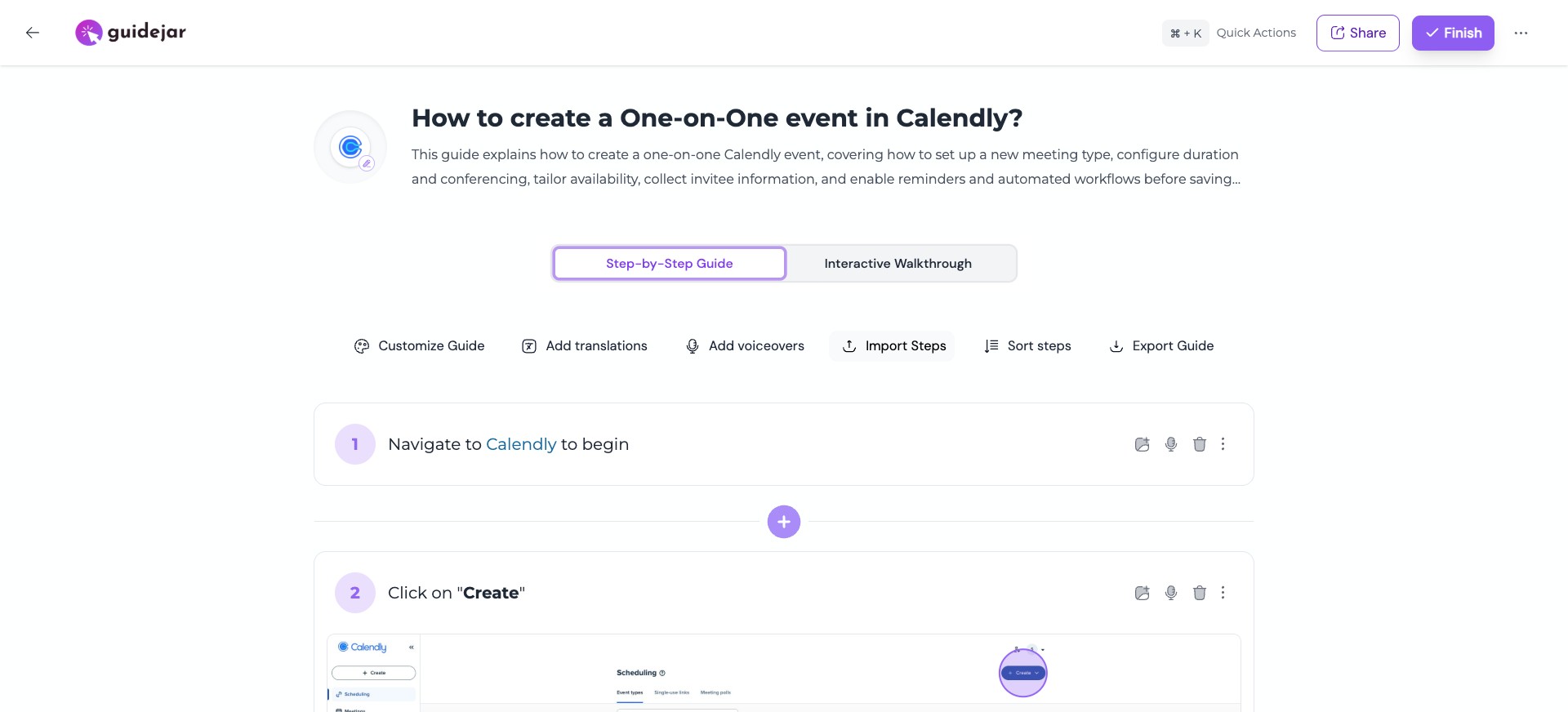
Open the guide editor and click on "Import Steps"

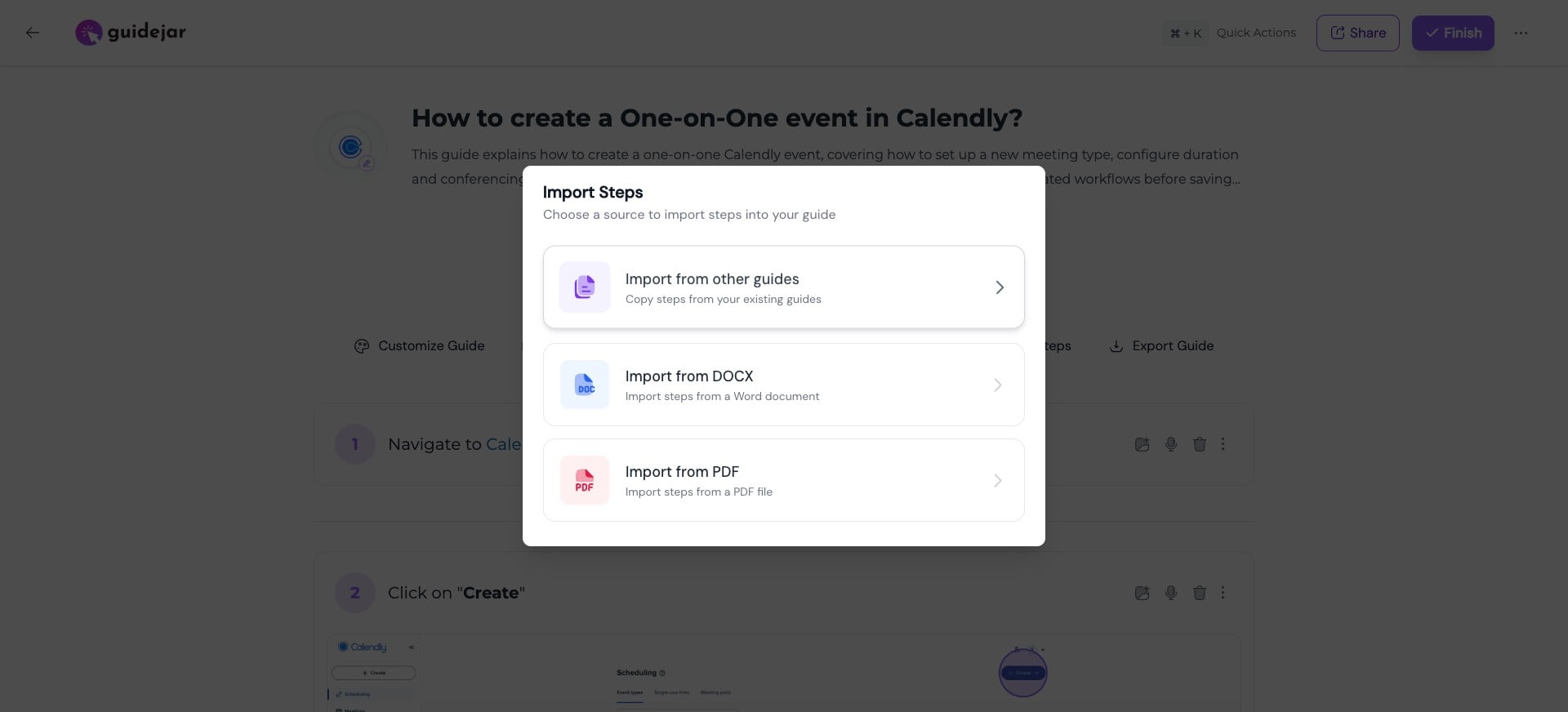
Choose source To import steps from an existing guide, click on "Import from other guides"
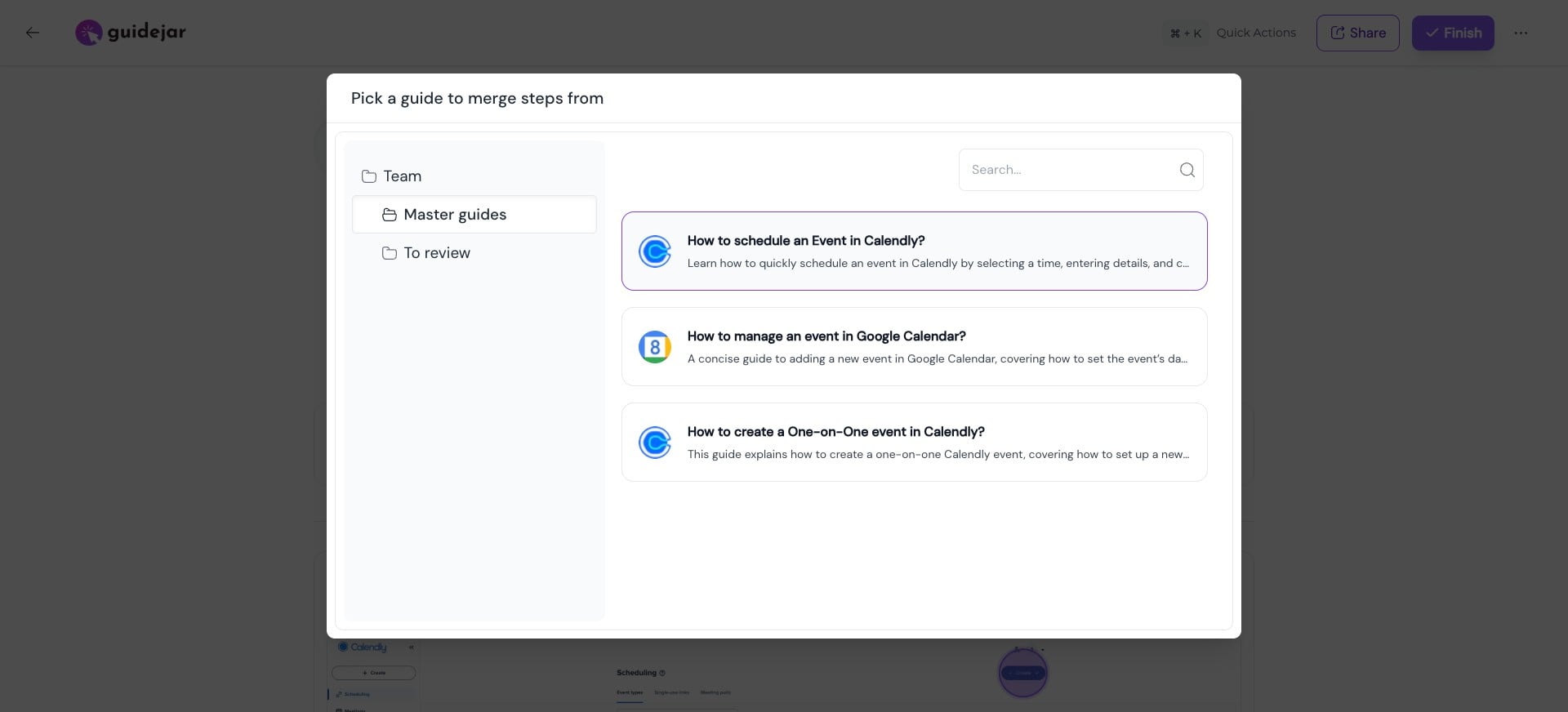
Select a guide Choose the guide you want to import the steps from
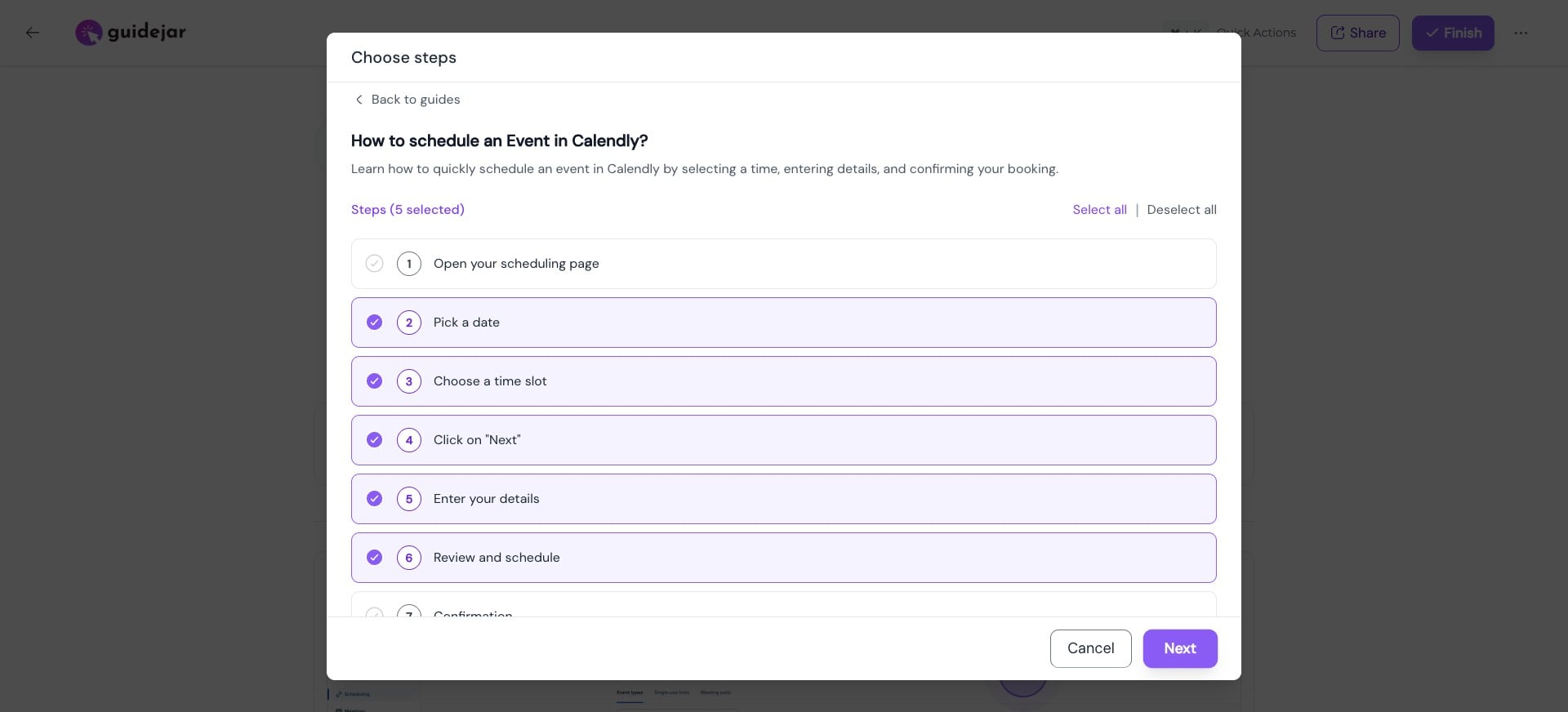
Pick steps to import Select the steps you want to reuse, then click “Next”
Choose insertion point Choose the step after which you want to insert the selected steps
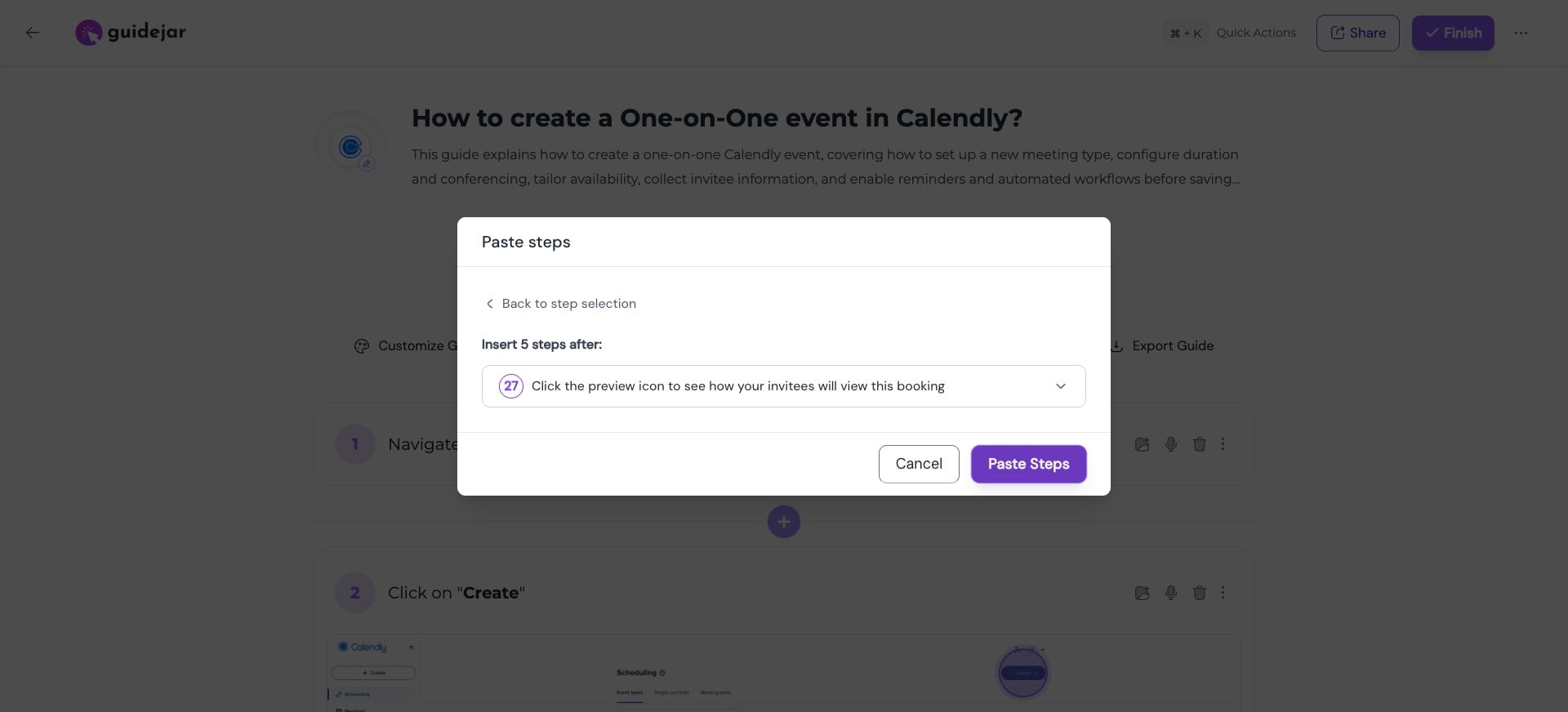
Import steps Click “Paste Steps”—and just like that, your selected steps are added to your guide.
Save commonly used flows as mini guides so you can quickly reuse them across multiple guides
Frequently Asked Questions
- Will changes to the original guide affect imported steps?
No, imported steps are copied into your guide and won’t update automatically if the original guide changes.