
How do I import steps from PDF or DOCX?
Learn how to import steps from Word document or PDF files to quickly convert your content into a structured guide
Open the guide editor and click on “Import Steps”
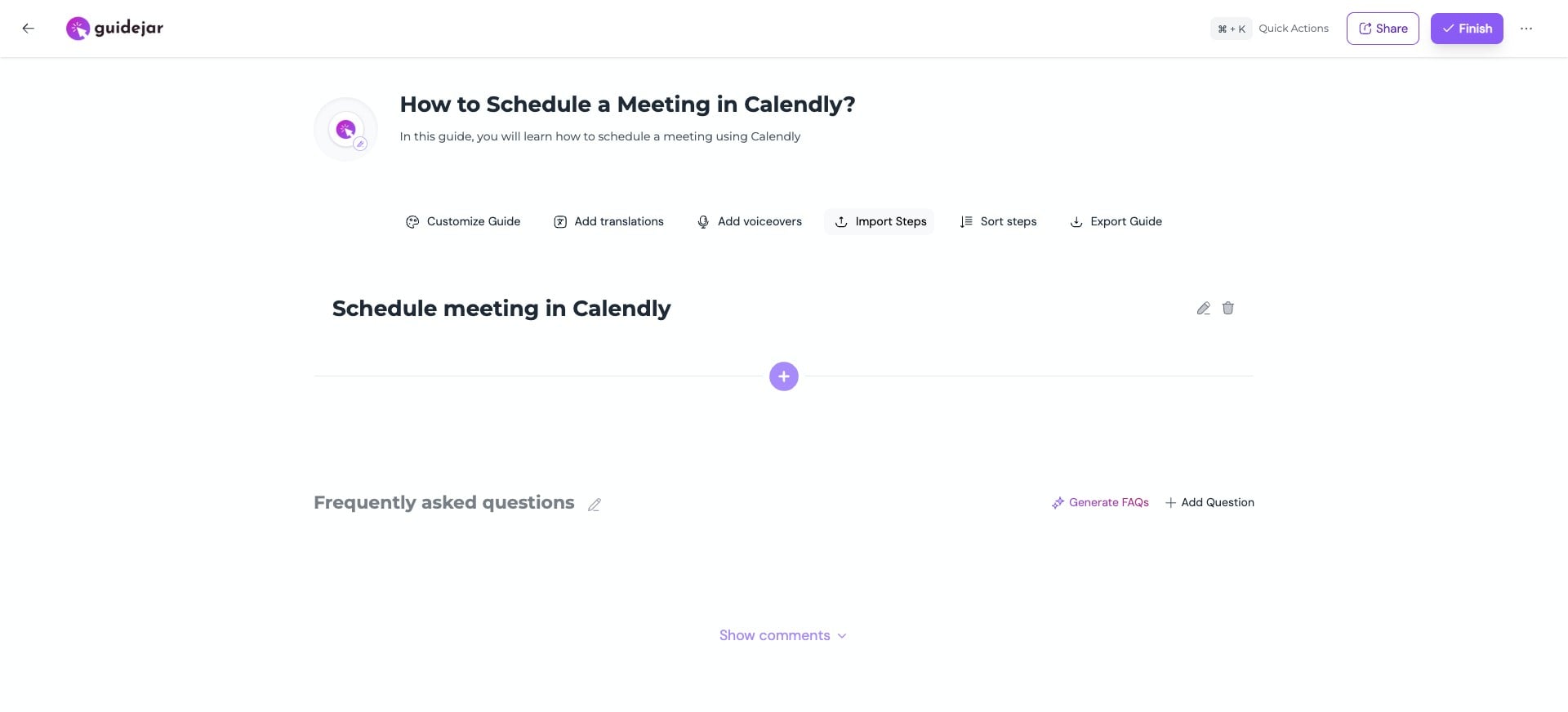
Choose “Import from PDF” (or DOCX)
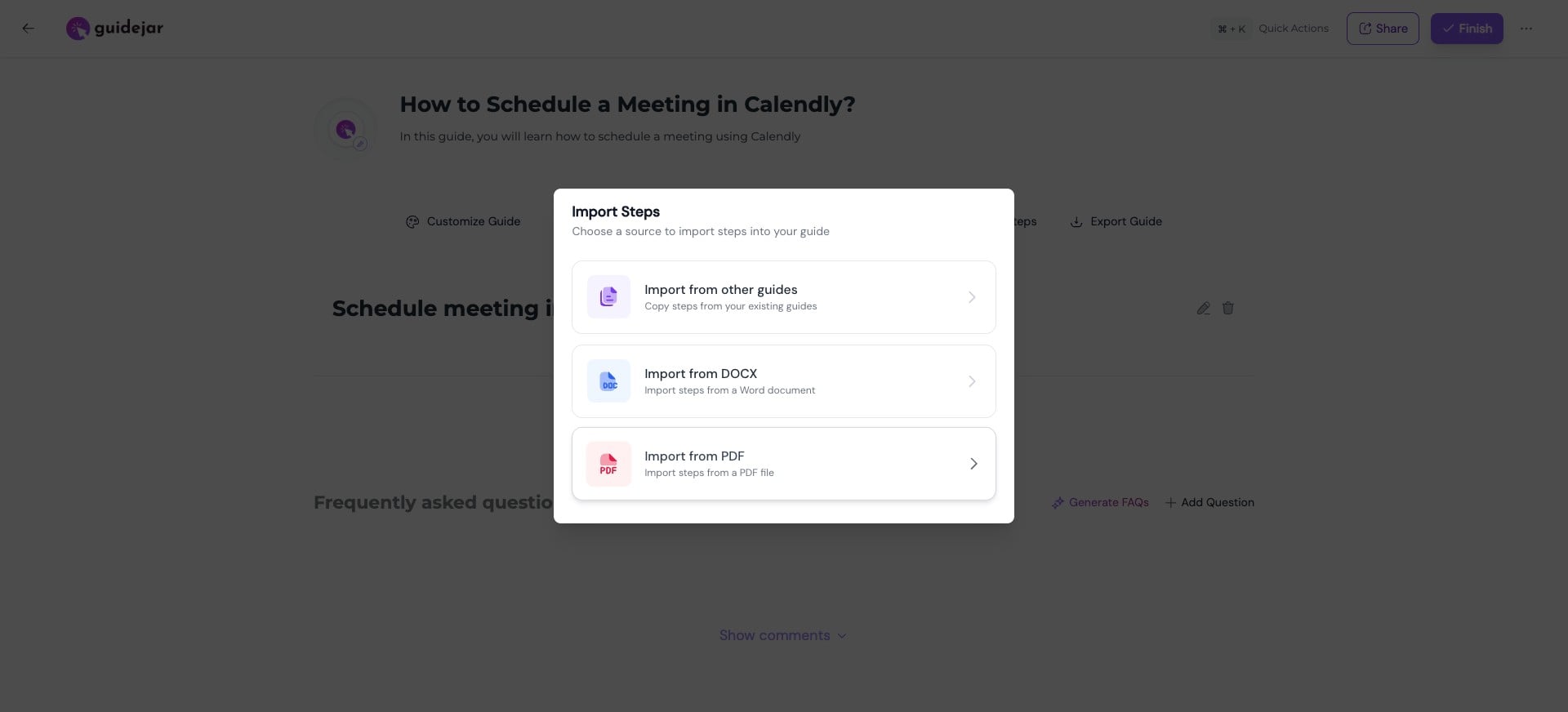
Upload your file and select the import mode based on how you want your steps created:
- One step per page → Converts each PDF page into a single step
- AI Extract → Automatically analyzes and breaks content into multiple structured steps (uses AI credits)
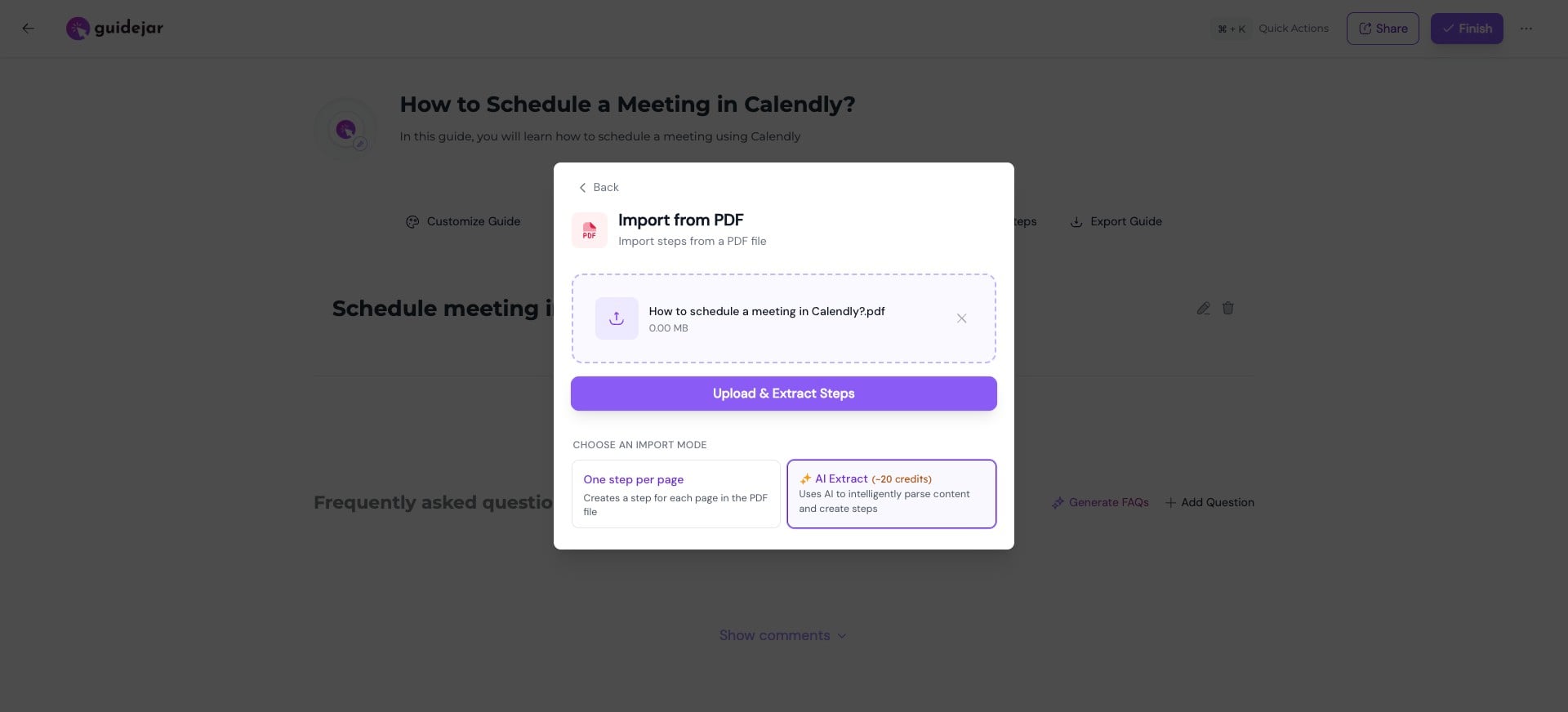
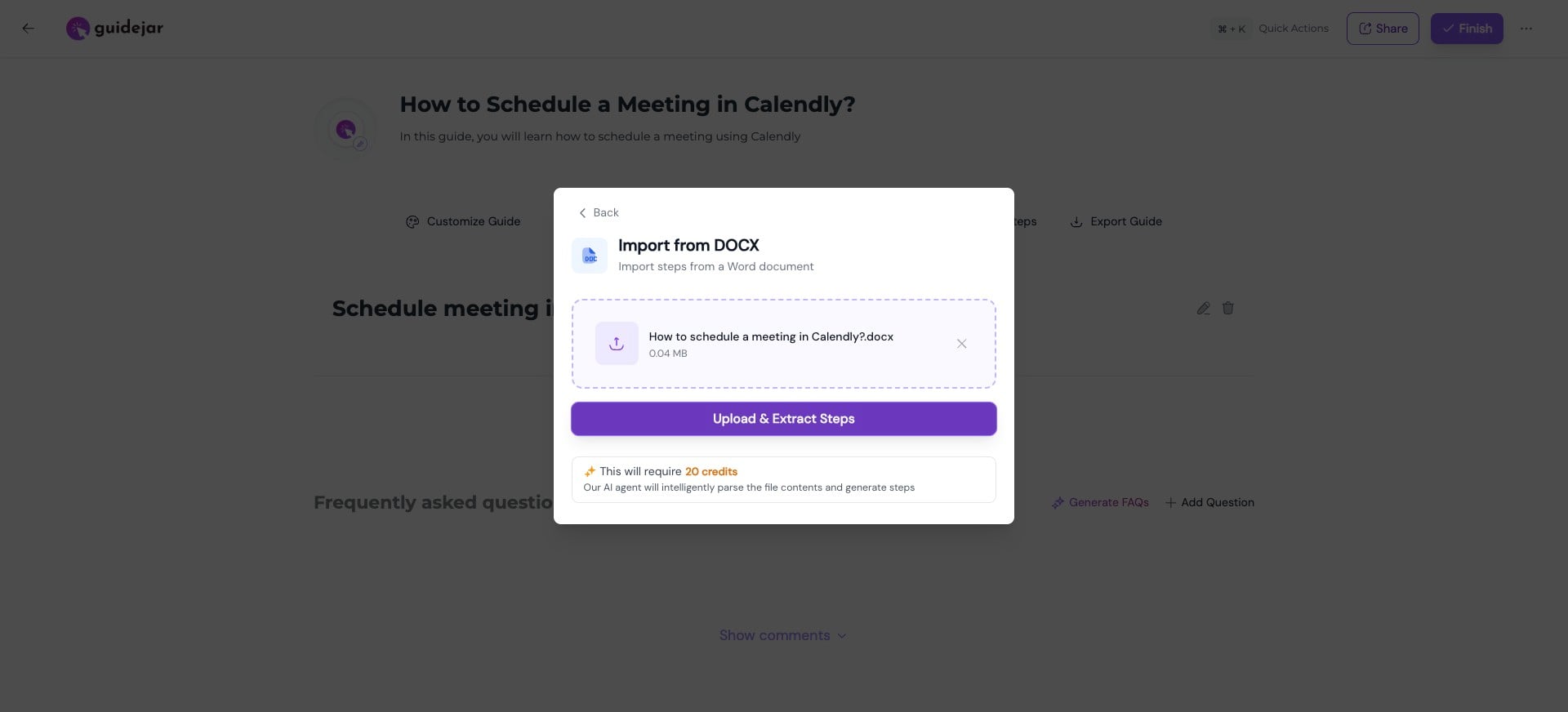
Click on "Upload & Extract Steps"
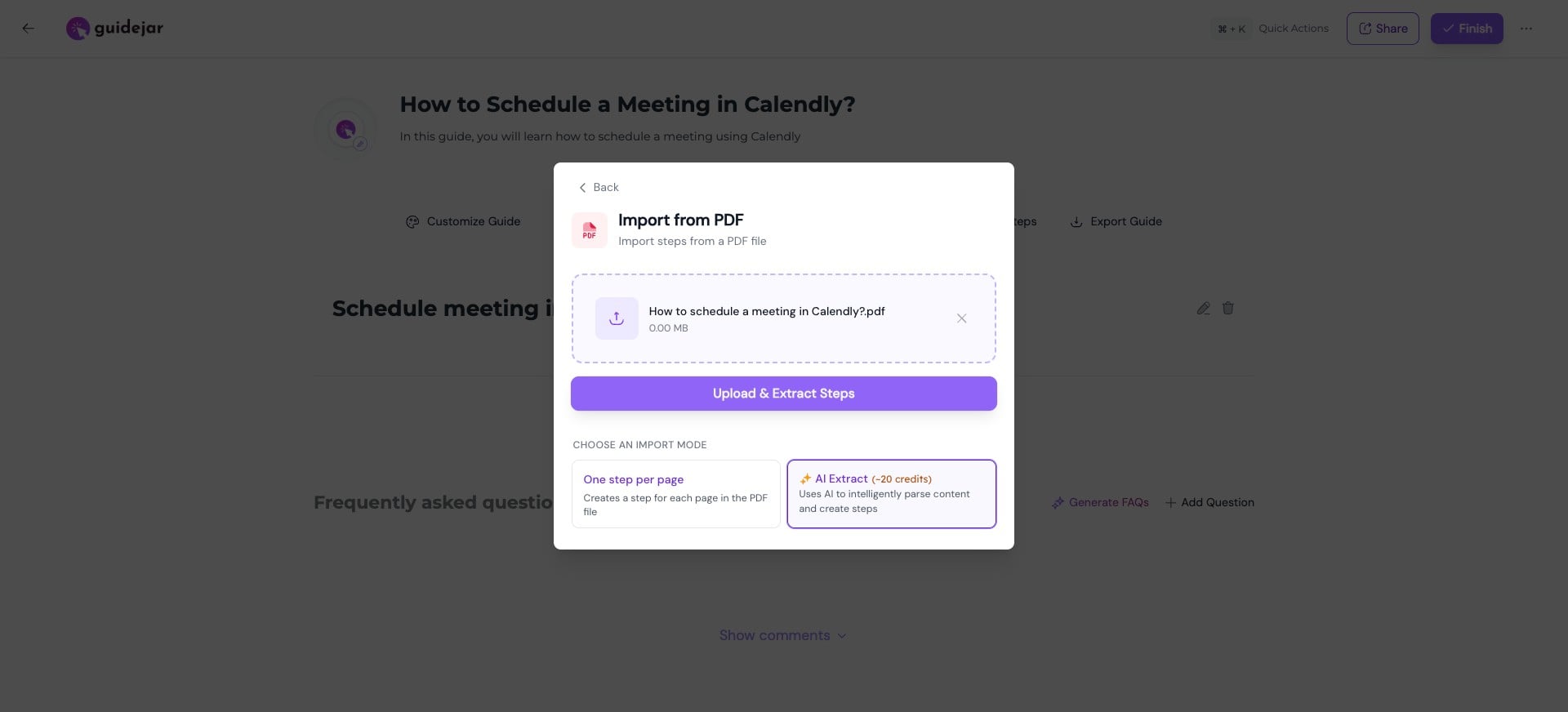
Your file content will be automatically converted into steps
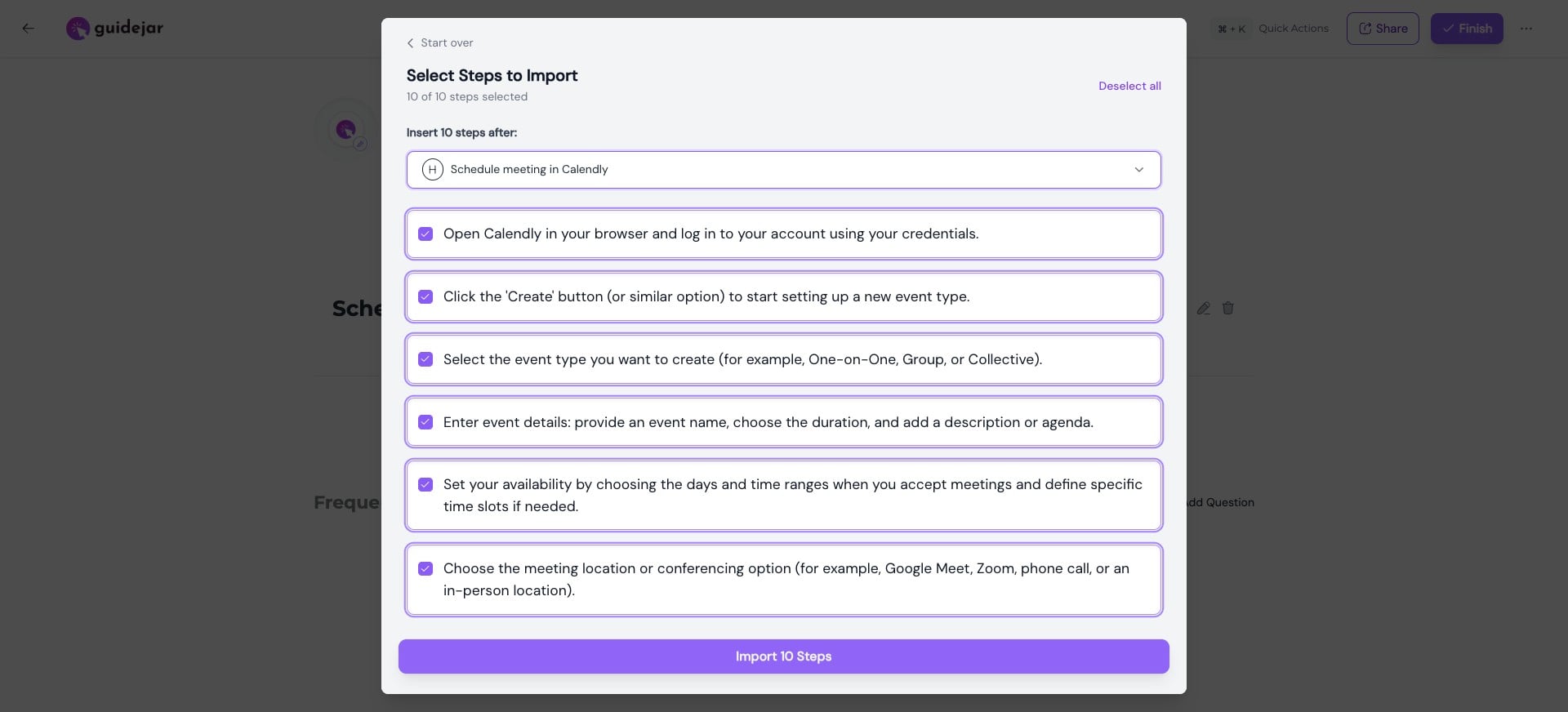
Choose where you want to insert them
You can select the steps you want to import and click “Import”
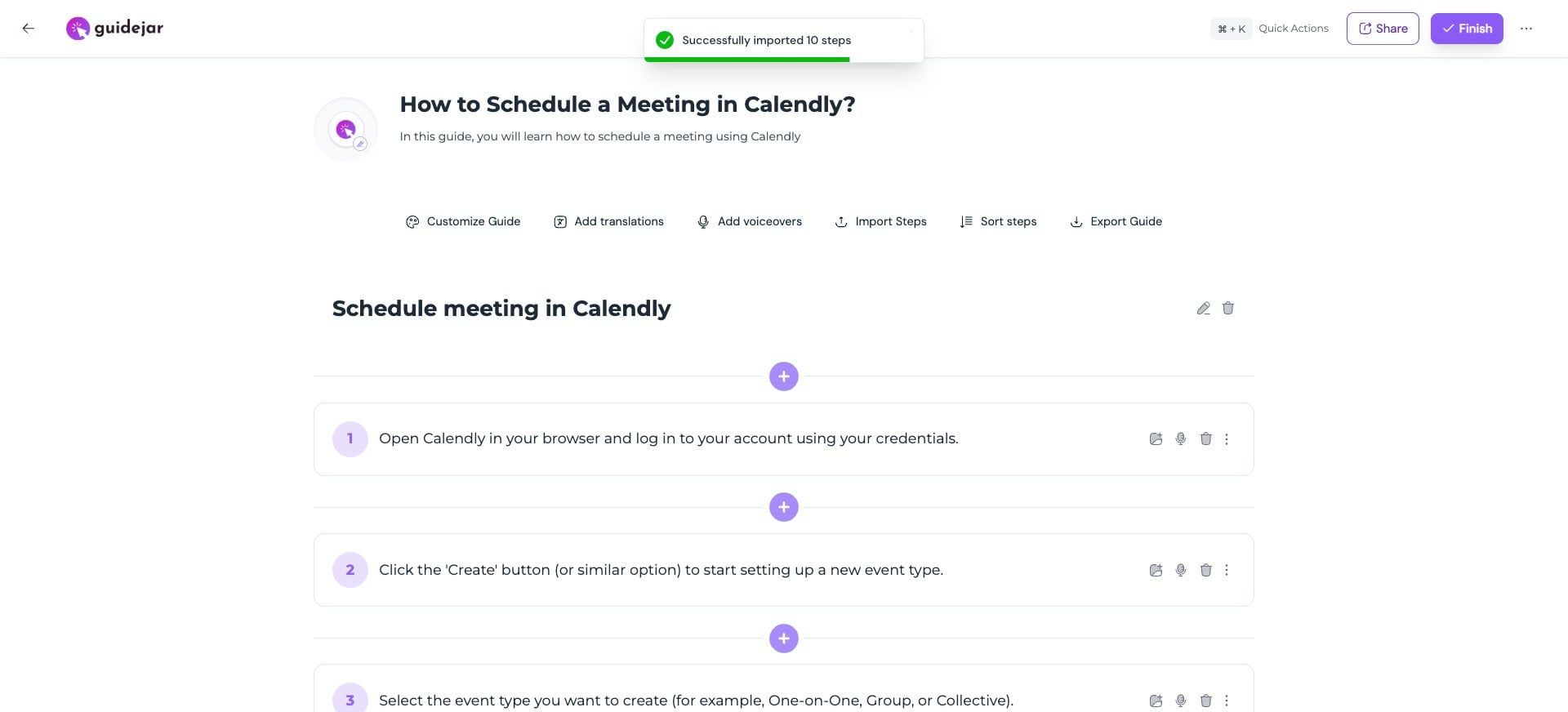
Tada! Your file is now converted into structured steps and added to the guide 🚀
Alternatively, you can import from DOCX—select your file and click “Upload & Extract Steps” (AI credits are required to parse the file and generate steps).
Frequently Asked Questions
- Can I also import steps with images from a PDF/DOCX?
Yes, Guidejar reads your file and extracts both text and images. During import, you can map images to the relevant steps.
- Can I create a complete guide by simply pasting text?
Yes, you can do this using our Import Guide feature. This lets your quickly convert your content into a structured guide.