
How to serve your guides from your own custom domain?
Setup your custom domain and serve all guides (must be publicly accessible and shared with your team) via your own domain. (It's not necessary to add the guides to the help center)
Sep 25, 2024●
1
Go to Help Center
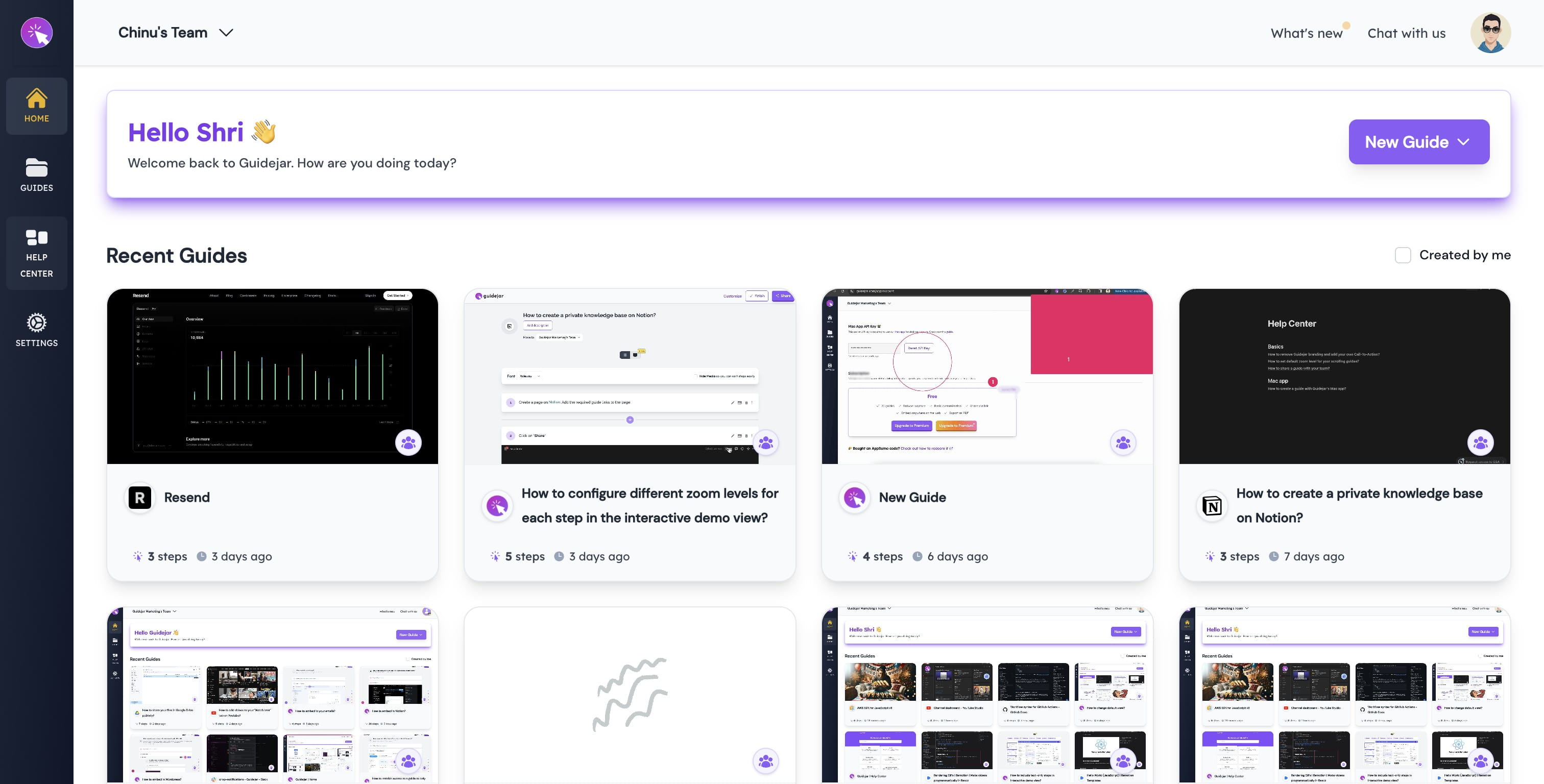

2
Type in your custom domain here
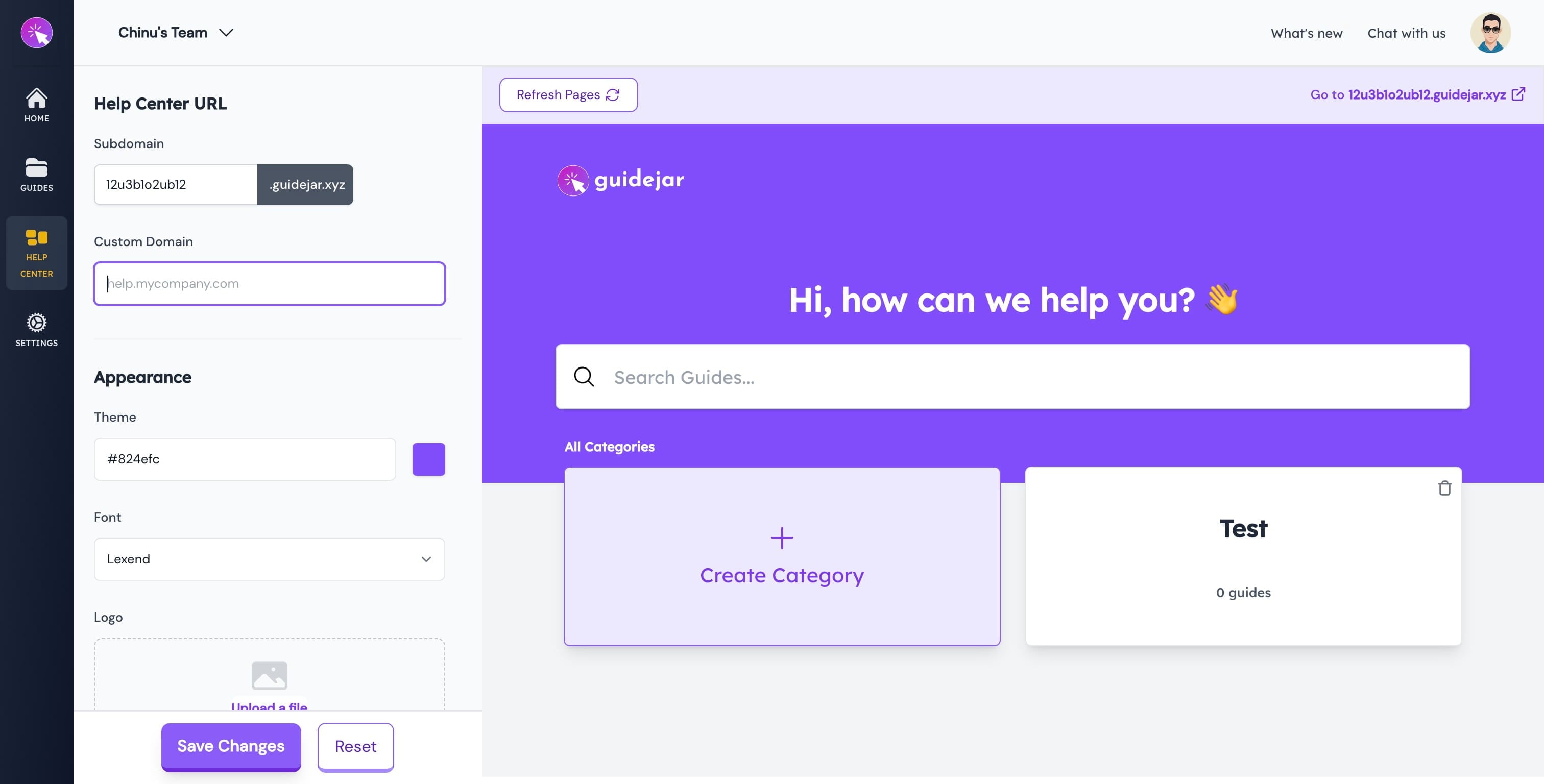
3
Click on Save Changes
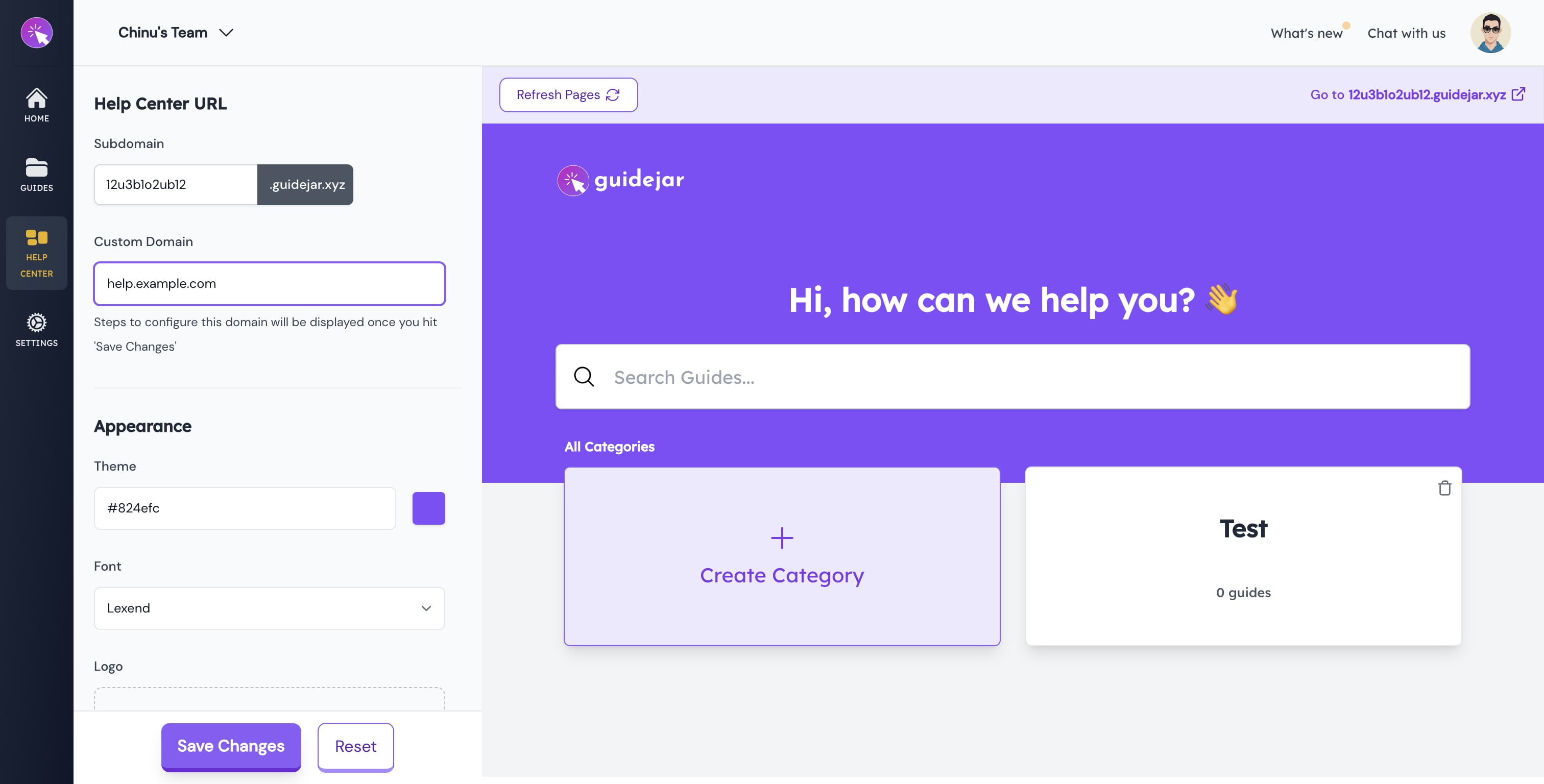
Once you've setup your domain, you'll be able to serve all your guides (must be shared with team) via your domain irrespective of whether you add the guide to the helpcenter or not.