
How do I set the default view of a guide?
Learn how to set the default viewing mode for your guides, so users land on the experience you prefer—step-by-step or interactive walkthrough or both.
Apr 21, 2026●
1
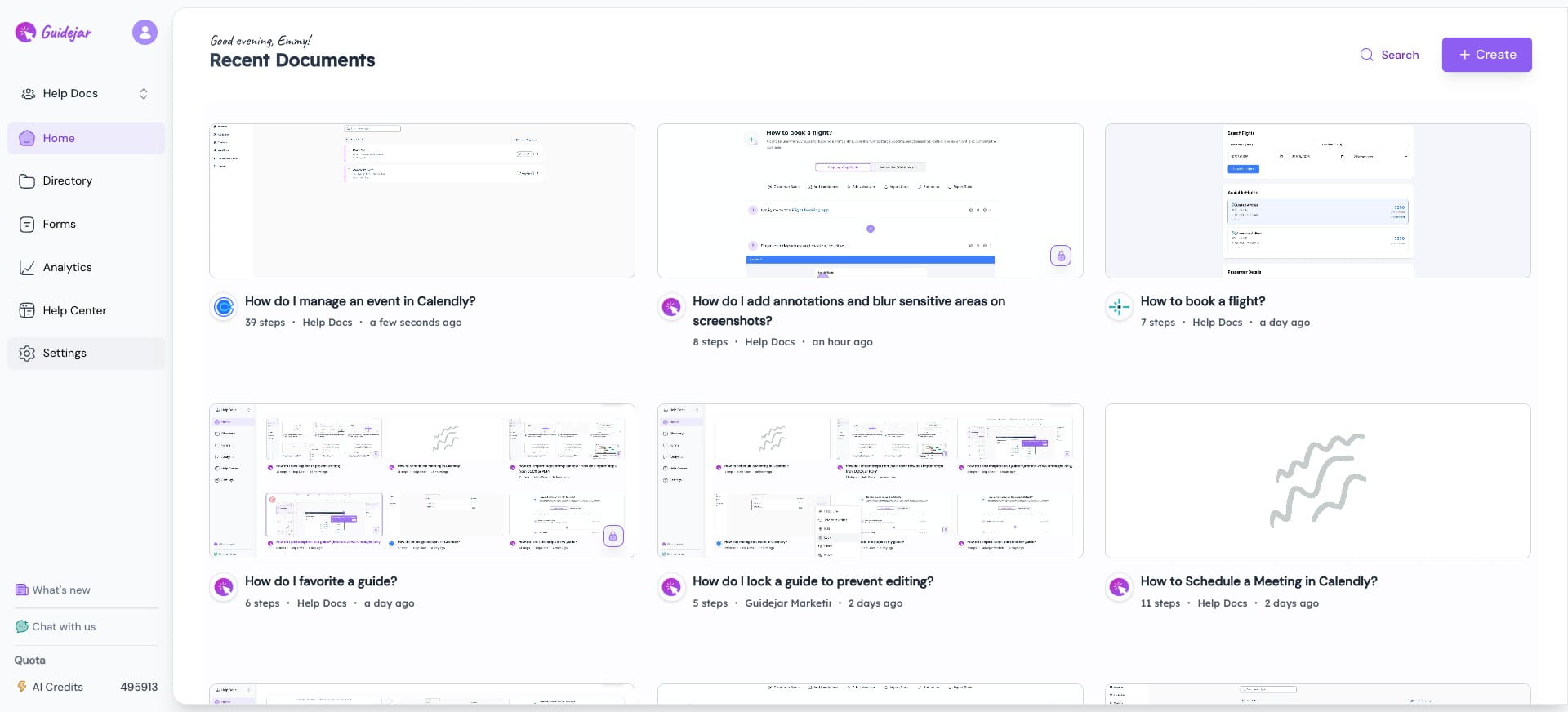
Navigate to Settings from the sidebar

2
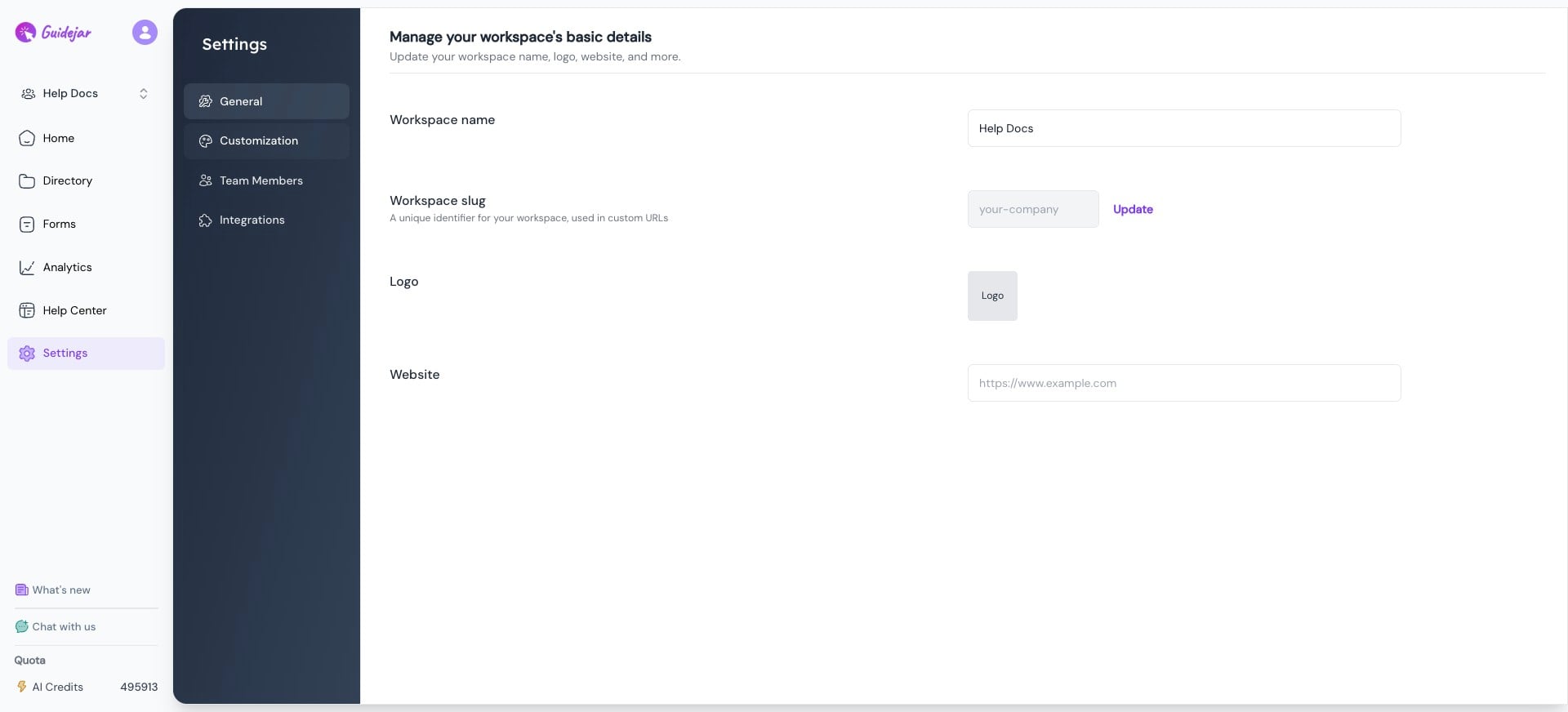
Click on Customization
3
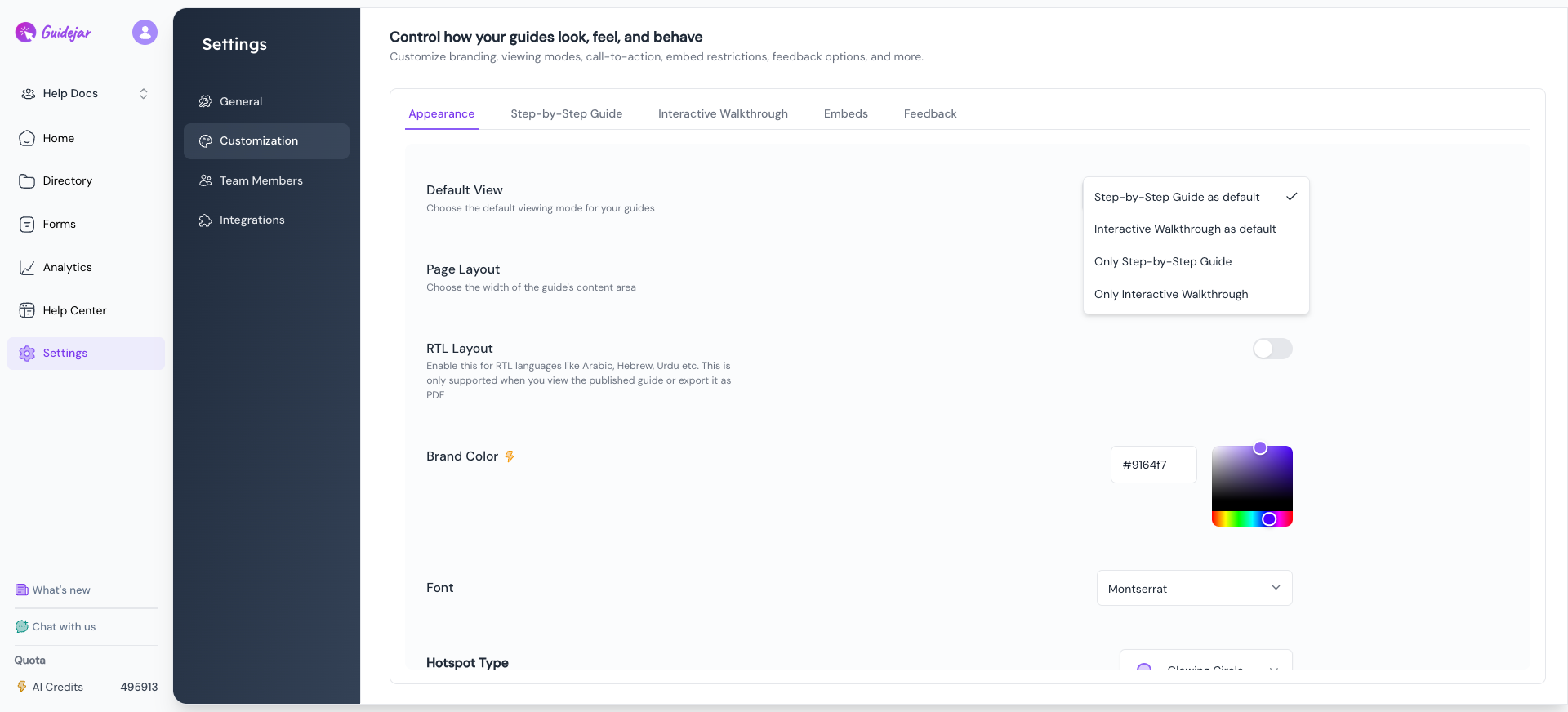
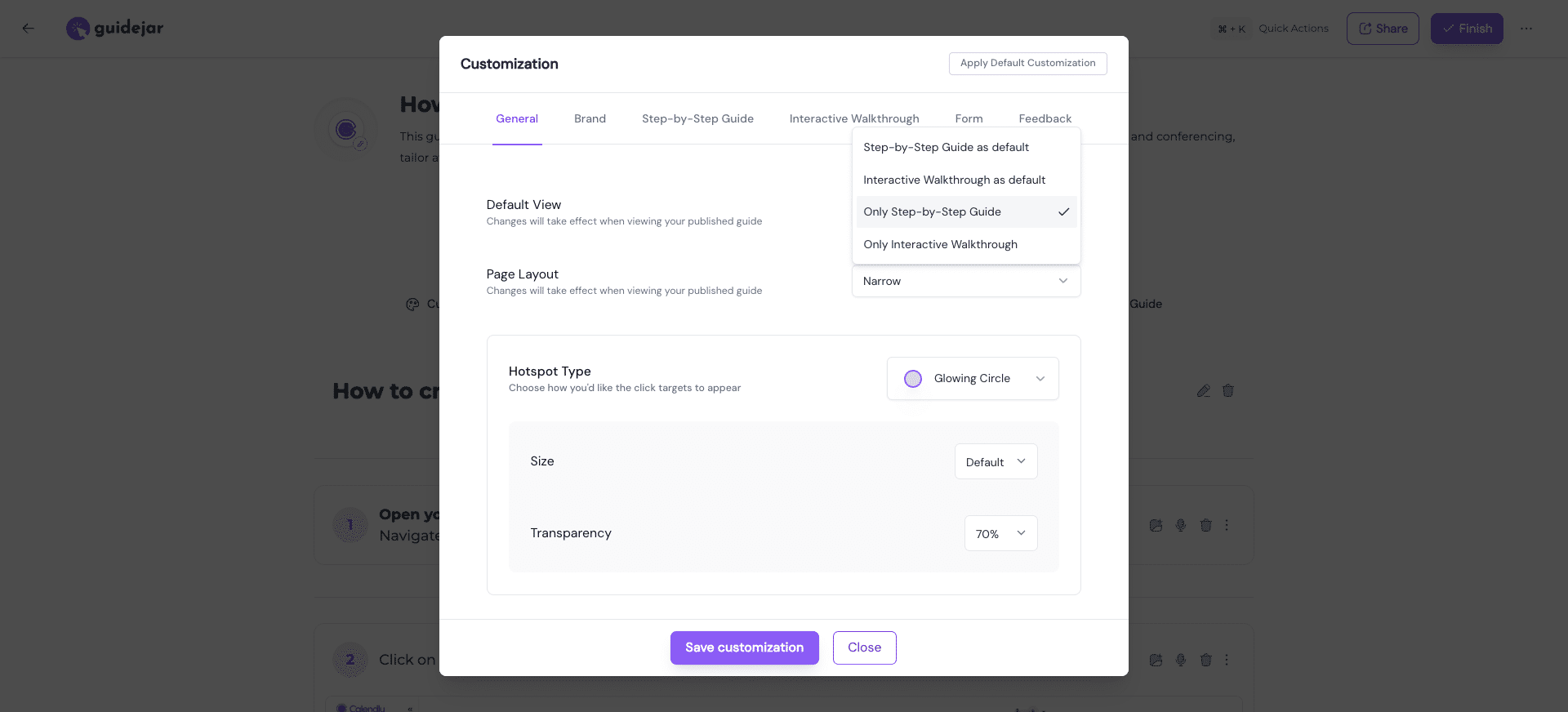
In the Appearance section, set the Default View to one of the options below:
- Step-by-Step Guide as default
- Interactive Walkthrough as default
- Only Step-by-Step Guide
- Only Interactive Walkthrough
4
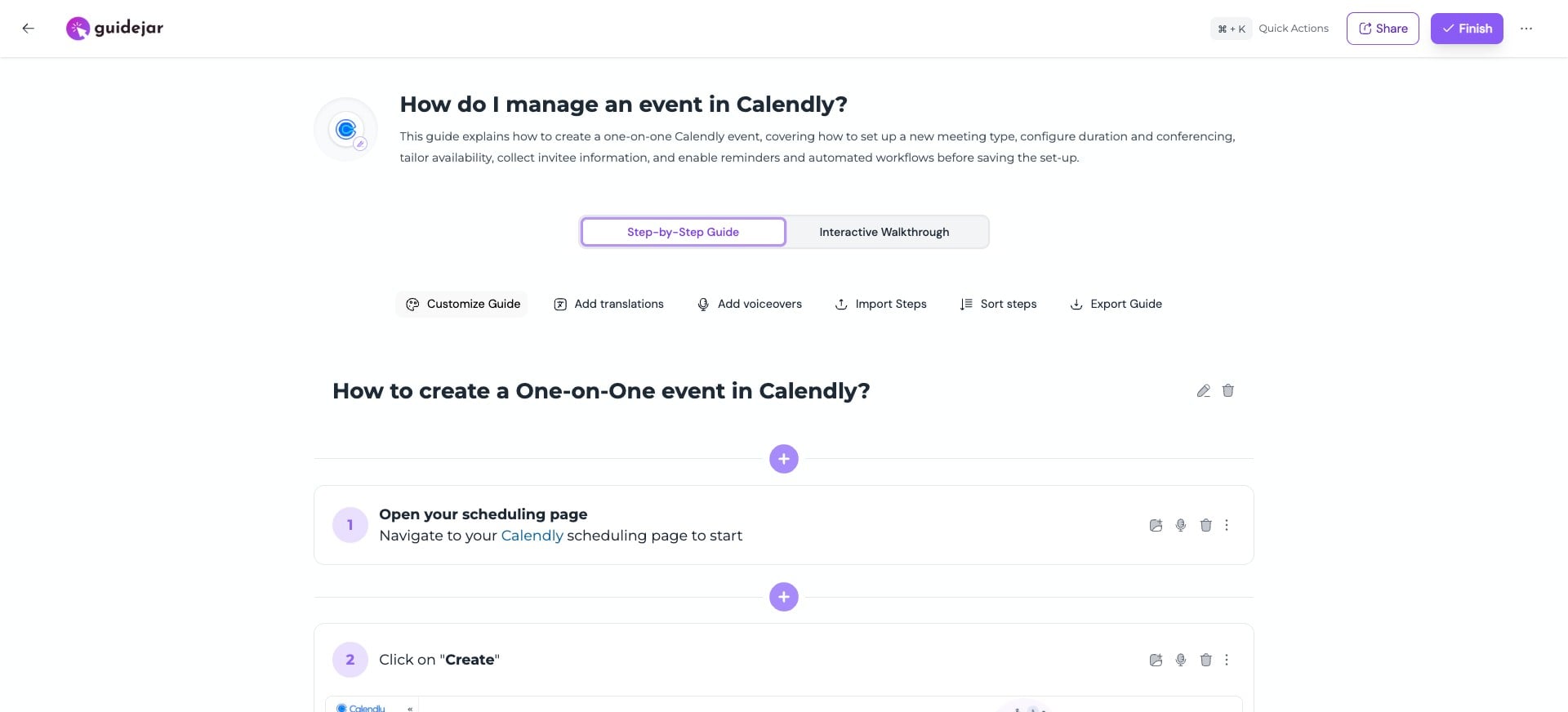
To set the default view for a specific guide, open the guide editor and click on "Customize Guide"
5
Select your preferred option
6
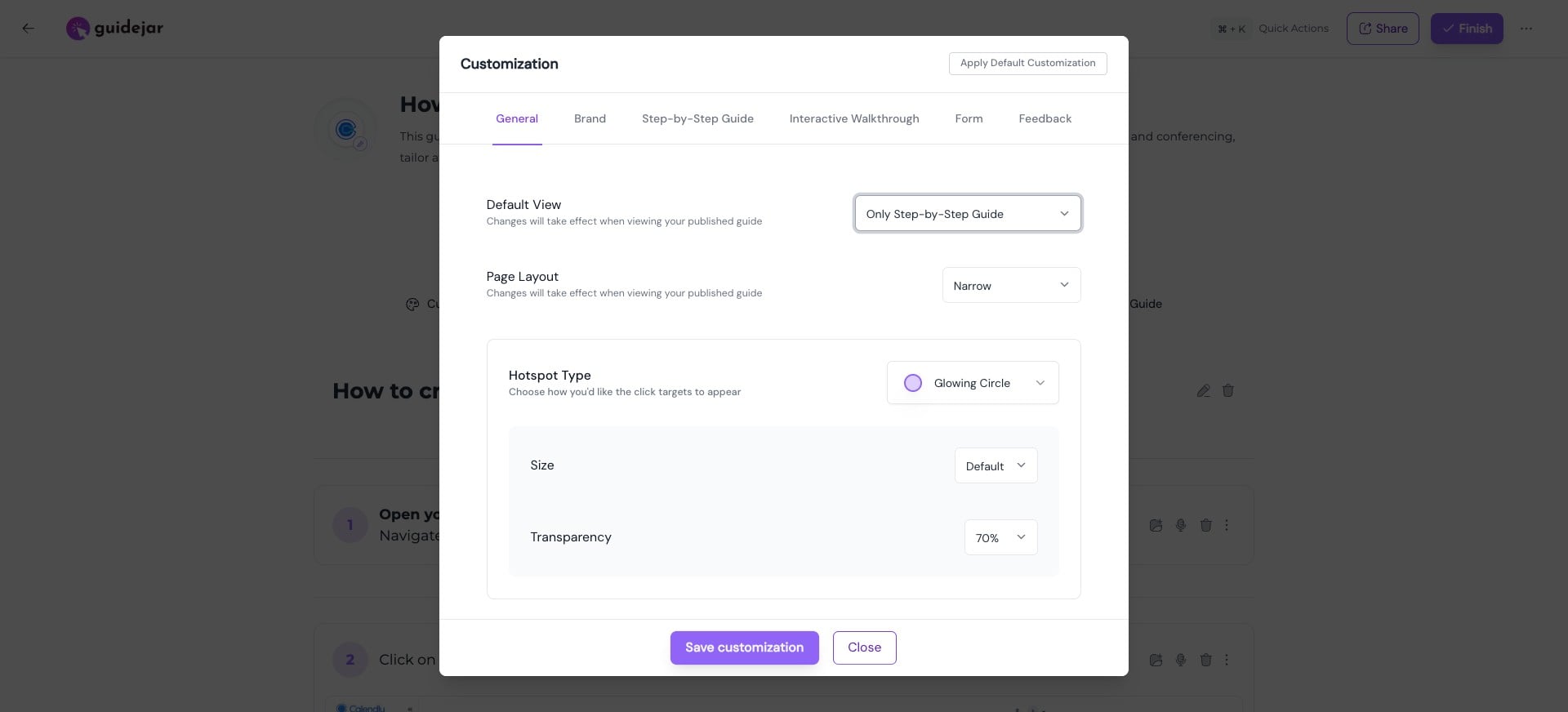
Click on "Save customization"
Frequently Asked Questions
- I changed the default view for a specific guide but the change didn't take effect. What should I check?
Guide pages are typically cached. Clearing the cache and re-rendering the page takes a few seconds. Please wait a few more seconds and refresh the page.