
How do I lock a guide to prevent editing?
Learn how to lock your guide to prevent edits and avoid accidental changes
Apr 19, 2026●
1
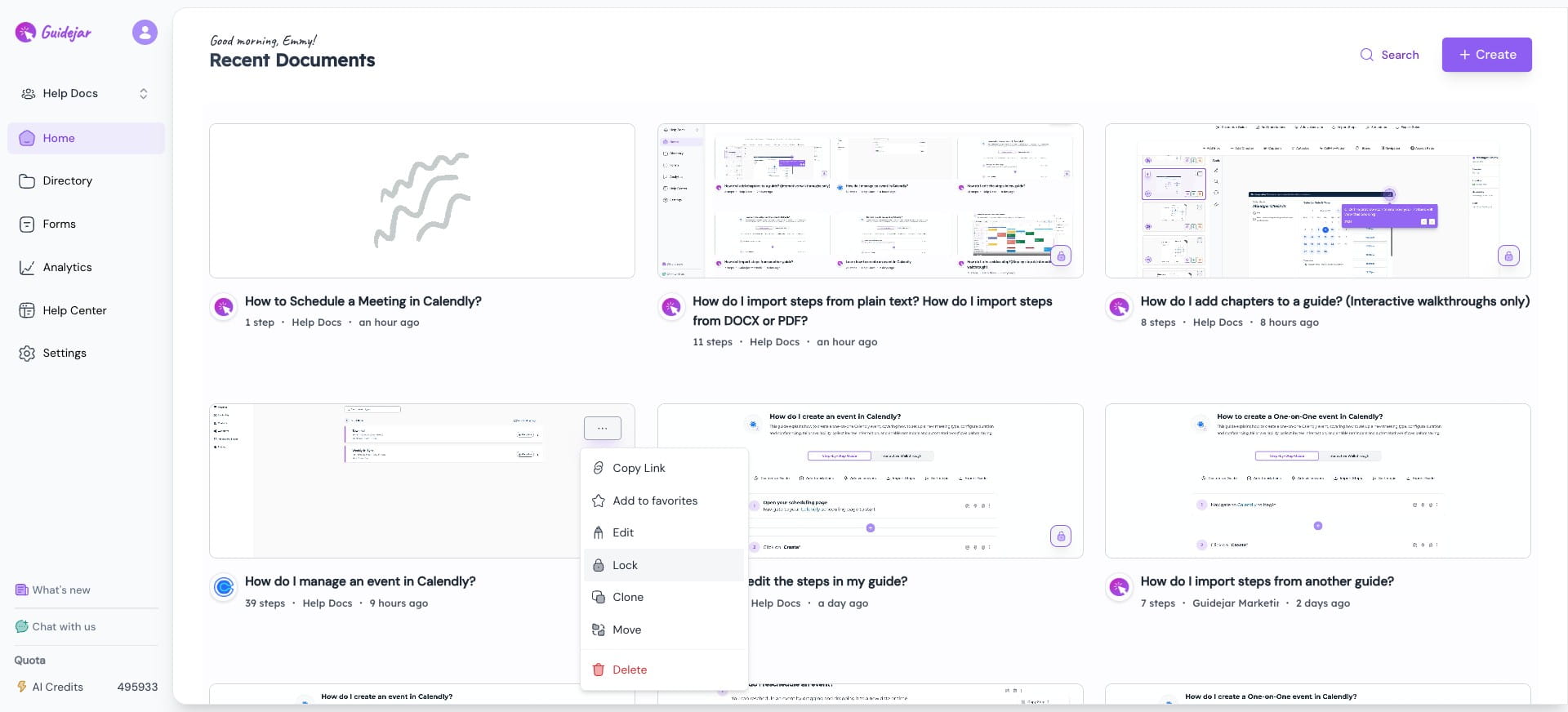
Click the More icon on the guide you want to lock

2
Click on “Lock”
3
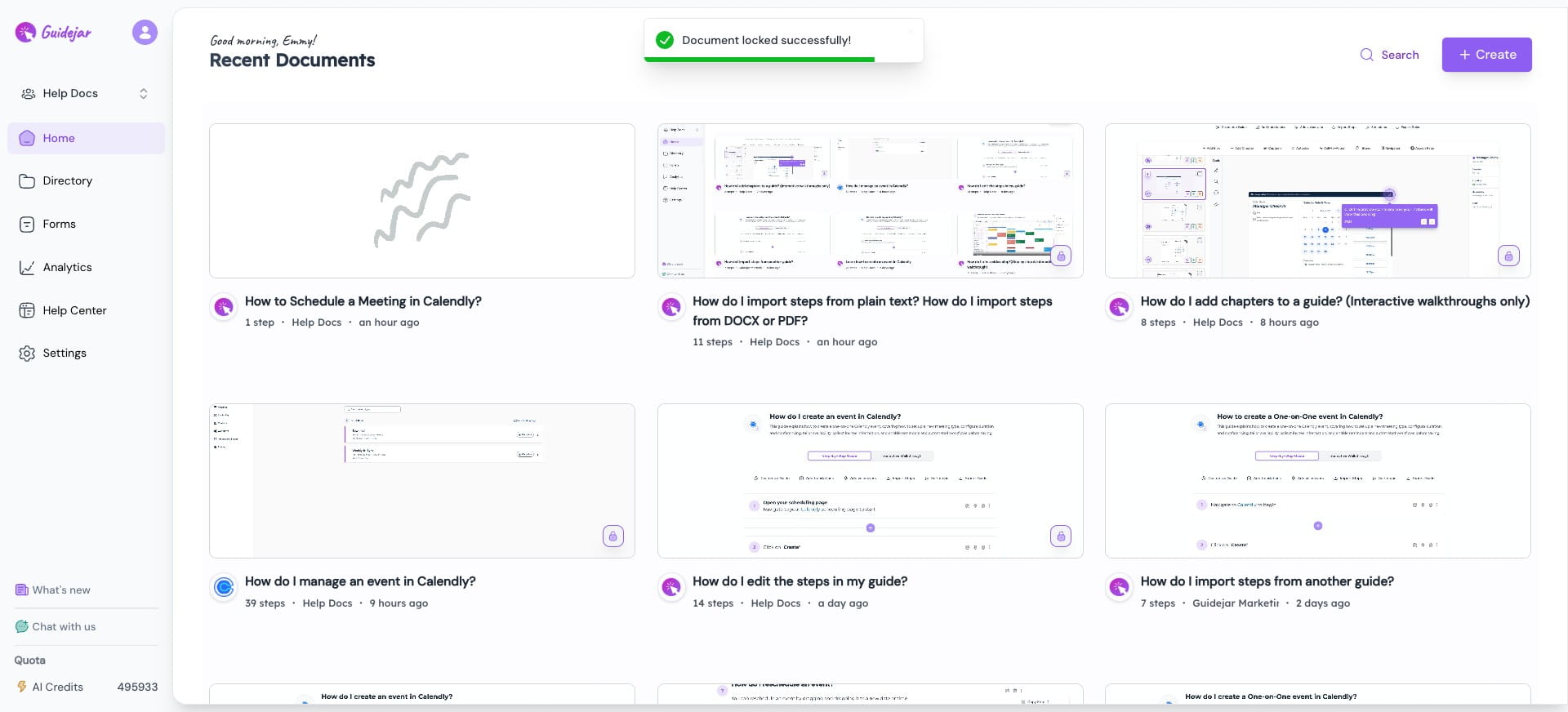
Your guide is now locked. Only the guide owner or workspace admins will be able to unlock the guide.
4
Other team members who attempt to edit this guide will be restricted.

5
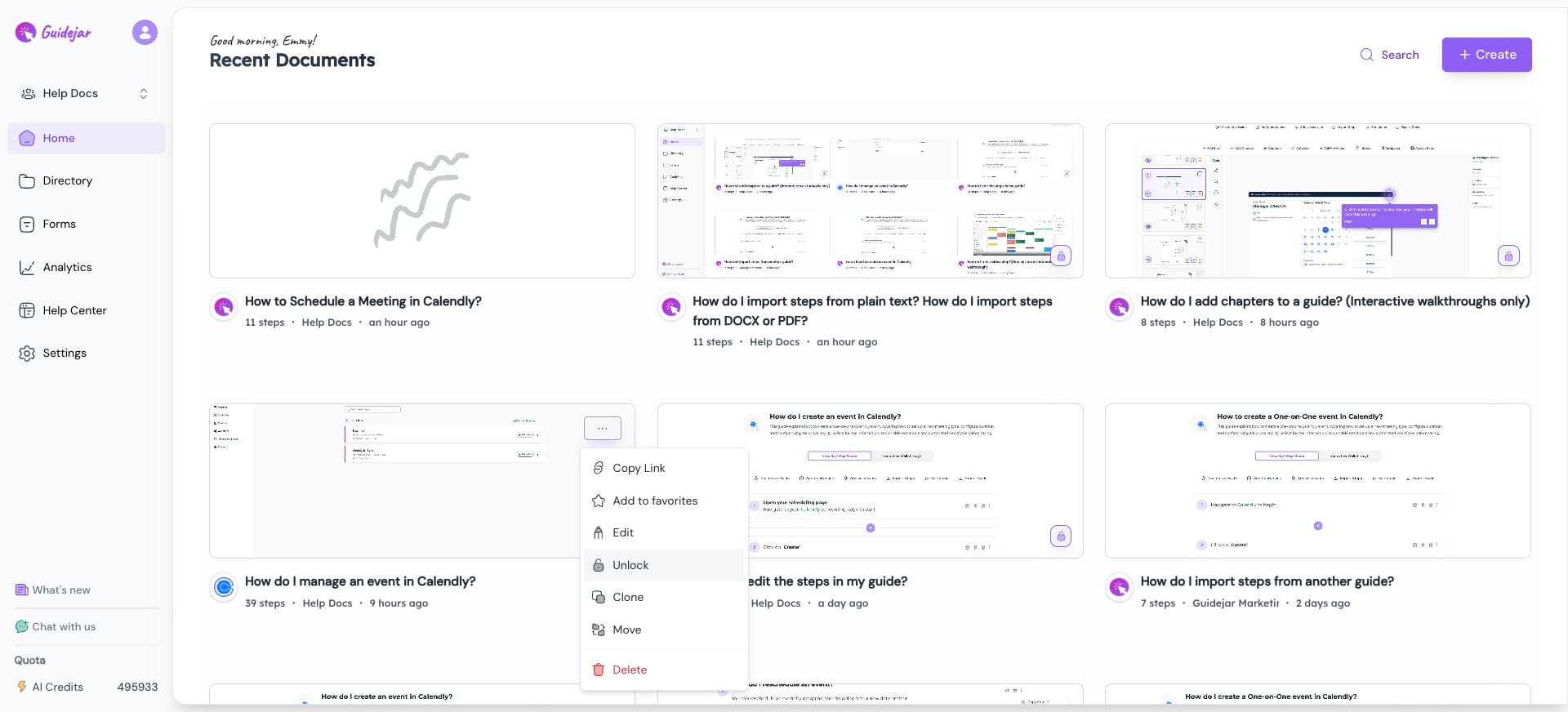
To unlock, go to the guide, click the More icon, and click “Unlock” to enable editing again
Frequently Asked Questions
- Who can unlock a locked guide?
Only the guide owner or workspace admins can unlock a locked guide