Check for app updates
Check whether Guidejar Desktop is up to date and confirm that the latest version is installed.
Aug 14, 2026●
1
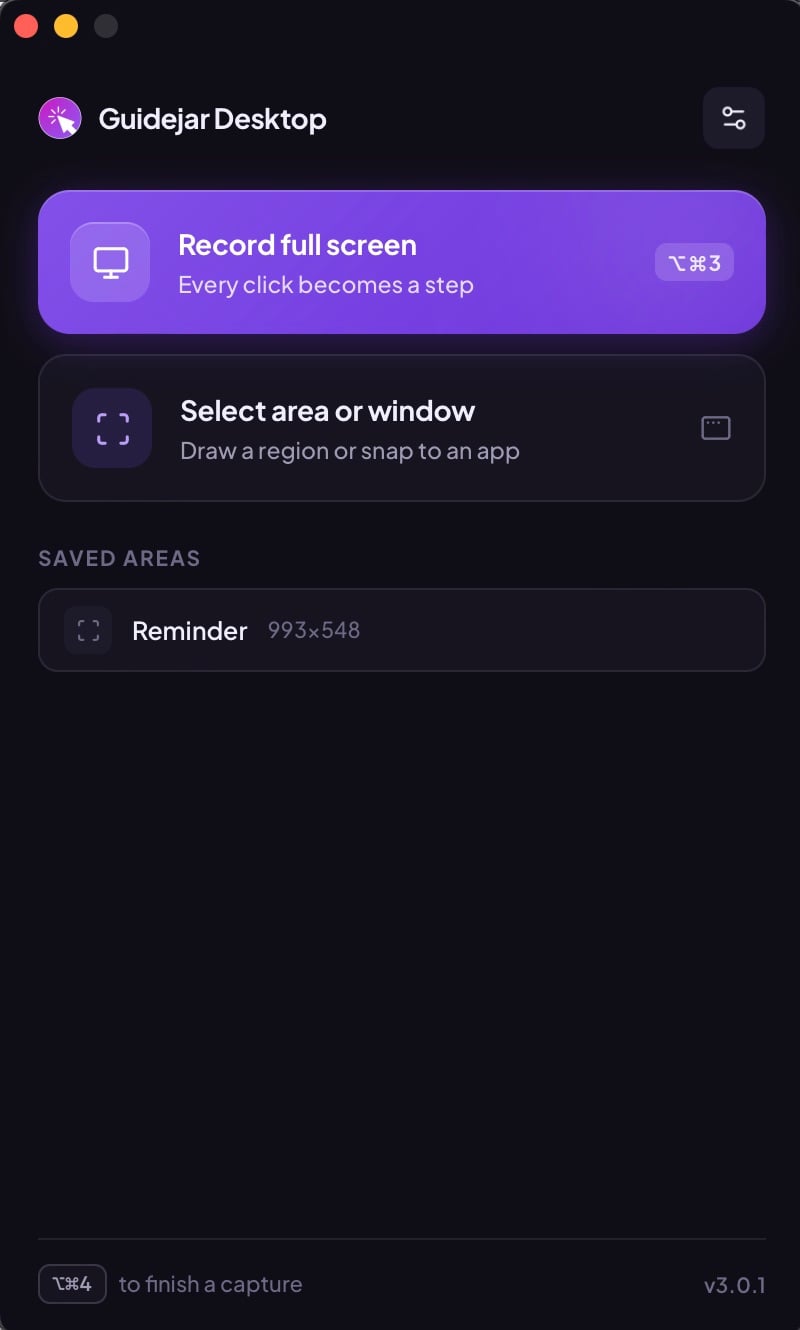
Click the Settings icon at the top right

2
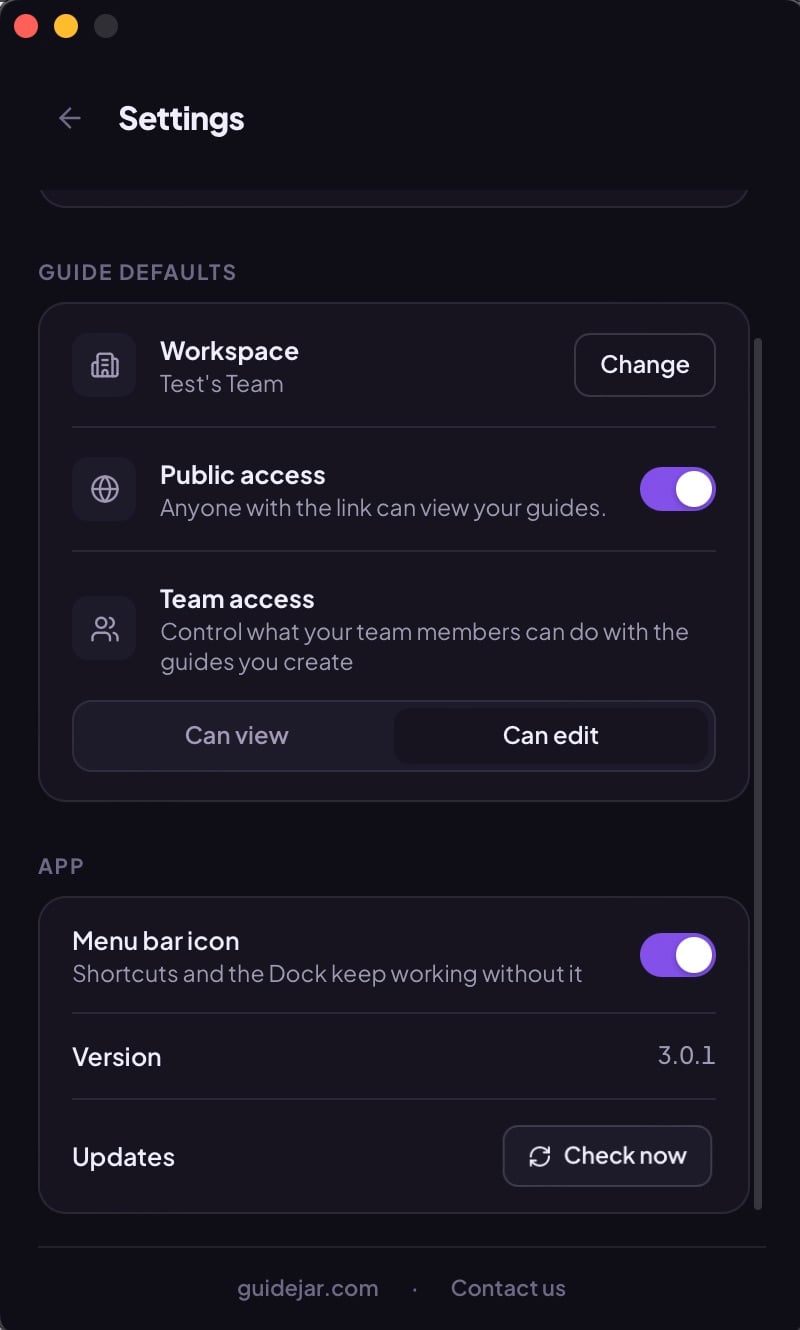
Scroll down to the Updates section and click Check now
3
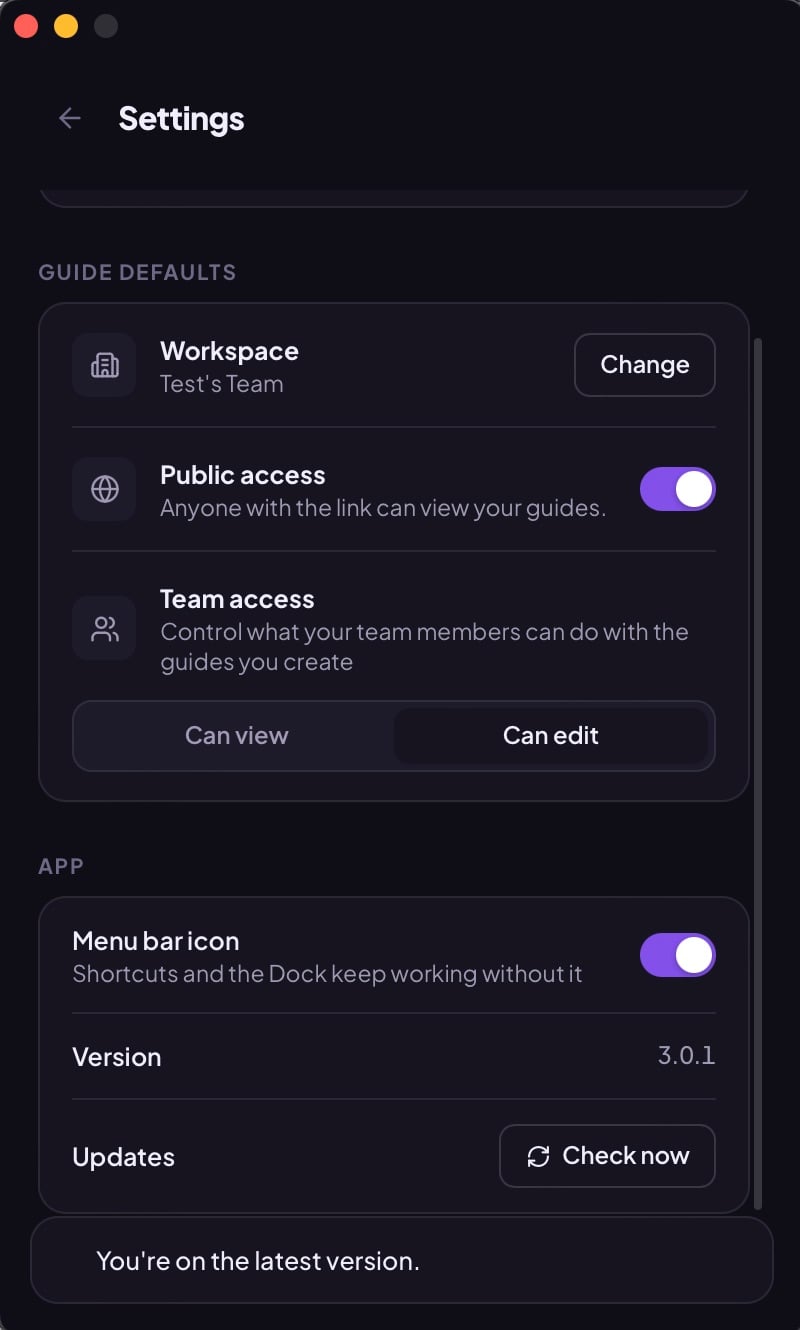
Verify that the message "You're on the latest version" appears